
TinyTales Design Sprint
Intro
Parents want to spend quality time with their kids. This takes the shape of going to the park, tummy time, bath time, watching movies together, etc. Another important activity for quality time is reading books with your kids, which allows parents to not only spend quality time but also to encourage learning, using their imagination, and also to discuss important topics.
TinyTales, a mobile app company, provides curated stories and content so that parents can spend quality time with their kids. TinyTales users have difficulty finding stories to read with their children, so they're looking to make it easier for parents to find a story to read with their children.
My Role
My role on the TinyTales Design sprint was the lead UX designer. I used an adapted version of the Google Venture's Design Sprint methodology to run a design sprint focused on making it easier for parents to find a story to read with their children.
I used the following tools in my role:
- Sketching: iPad and Freeform sketching app
- Wireframing and prototyping: Figma
- User Interviews: Calendly & Zoom
- Data collection: Google Docs
My Process
This design sprint was a modified version of a a Google Venture Design sprint:
- Day 1 - Map
- Day 2 - Sketch
- Day 3 - Decide
- Day 4 - Prototype
- Day 5 - Test
This was modified in that TinyTales provided some of the necessary research and user information on day 1, and I was the only designer on the project.
Day 1 - Map
Problem Identification
The TinyTales app struggles to recreate parts of parents' in-person workflow:
- Discovering new content
- Screening new content
- Allowing children to pick from current content they have
Design Goal
Our overarching design goal was to make it easier for parents to find a story to read to their children. For this design sprint we focused on the experience of discovering new content.
User Research & Persona
The TinyTales team had already conducted some preliminary user research, which I compiled into two documents:
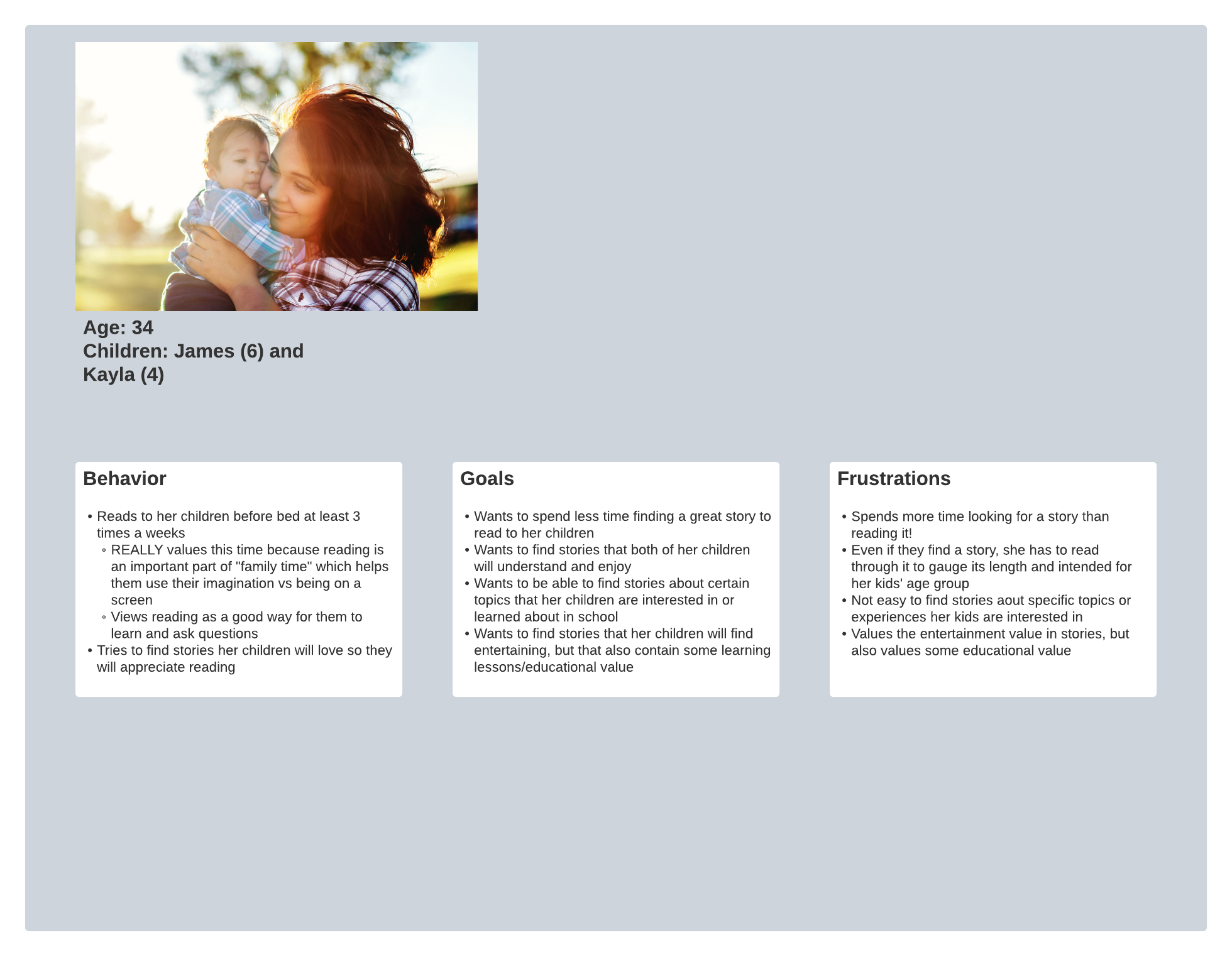
From the research I learned that parents liked how they could easily screen new books and put content for reading in front of their kids to help them choose what to read before bed. This was reflected in the persona (Claire) that the TinyTales team provided.
Initial Mapping
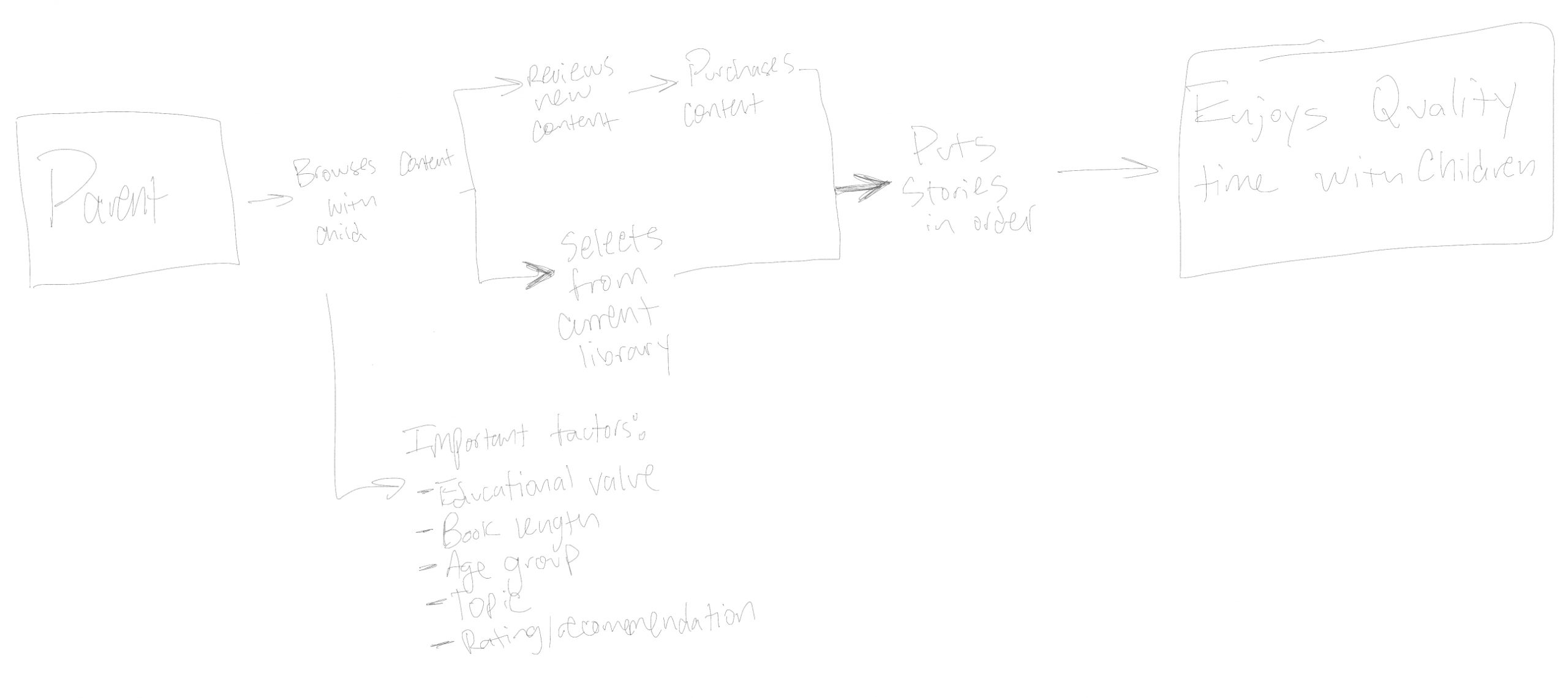
After gathering the necessary research and user information from the TinyTales team, I needed to see visually all of the information I'd just received about my user and their preferences, so I created an initial mapping of everything to end Day 1.
Day 2 - Sketch
App Inspirations
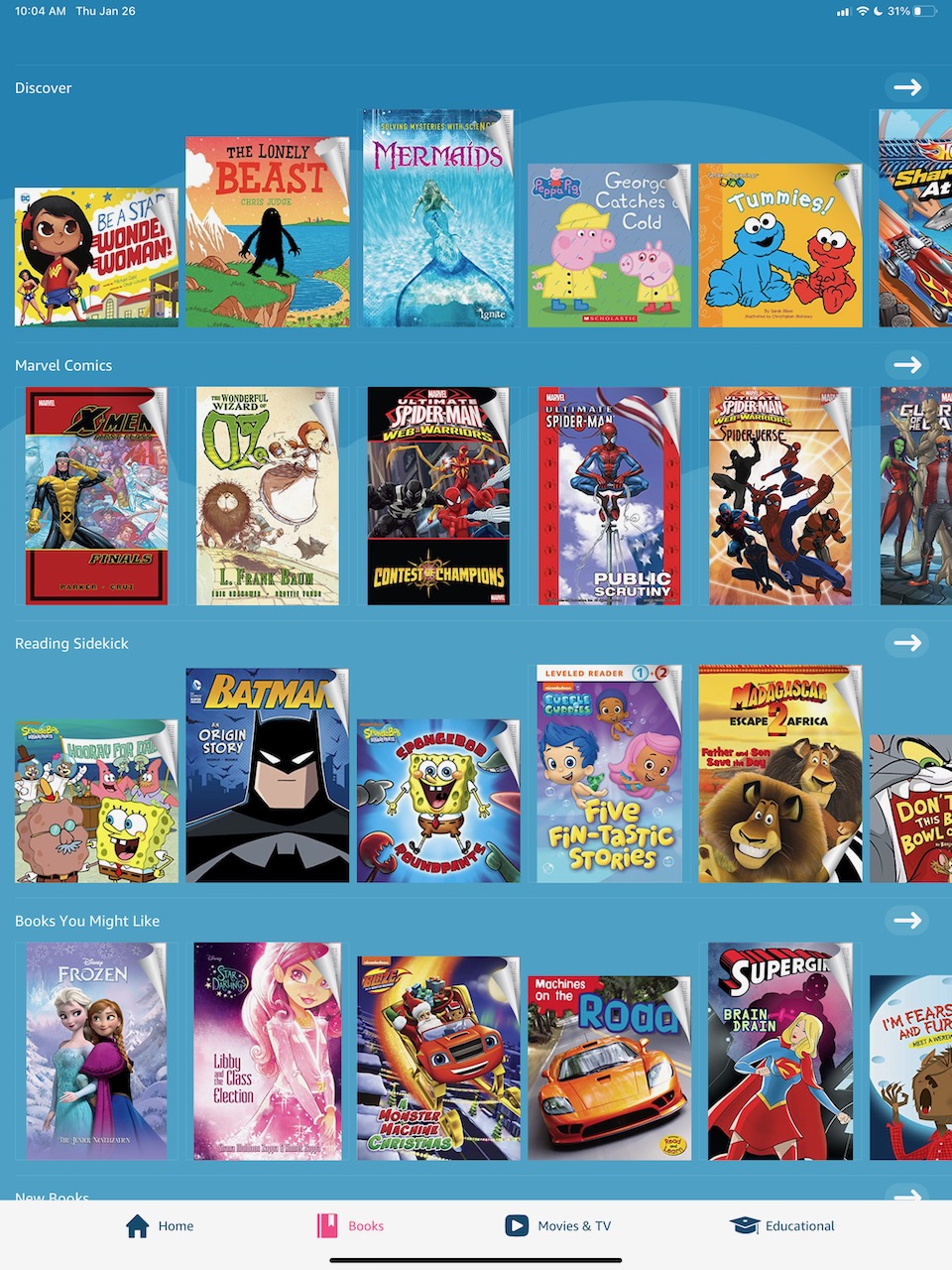
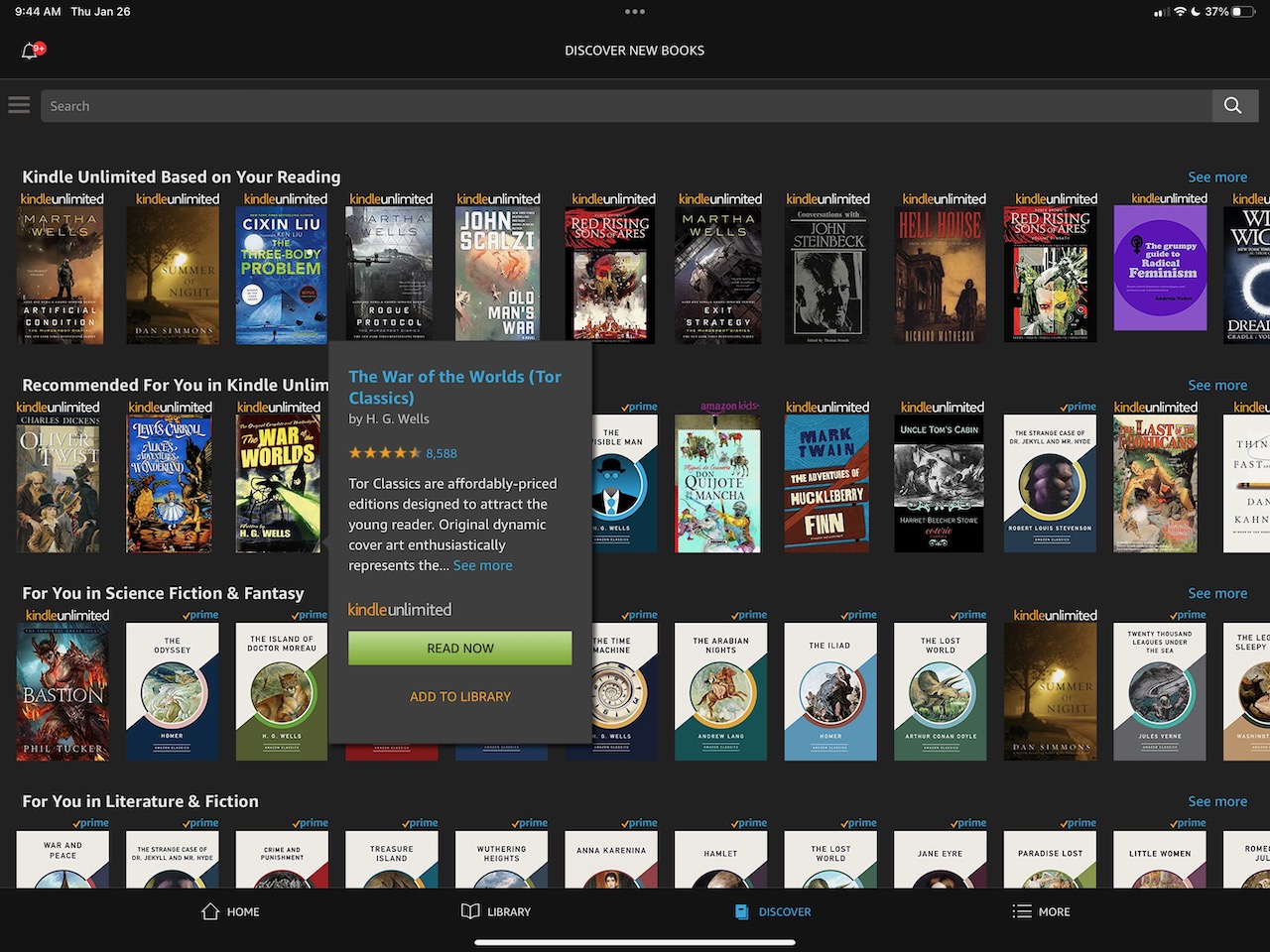
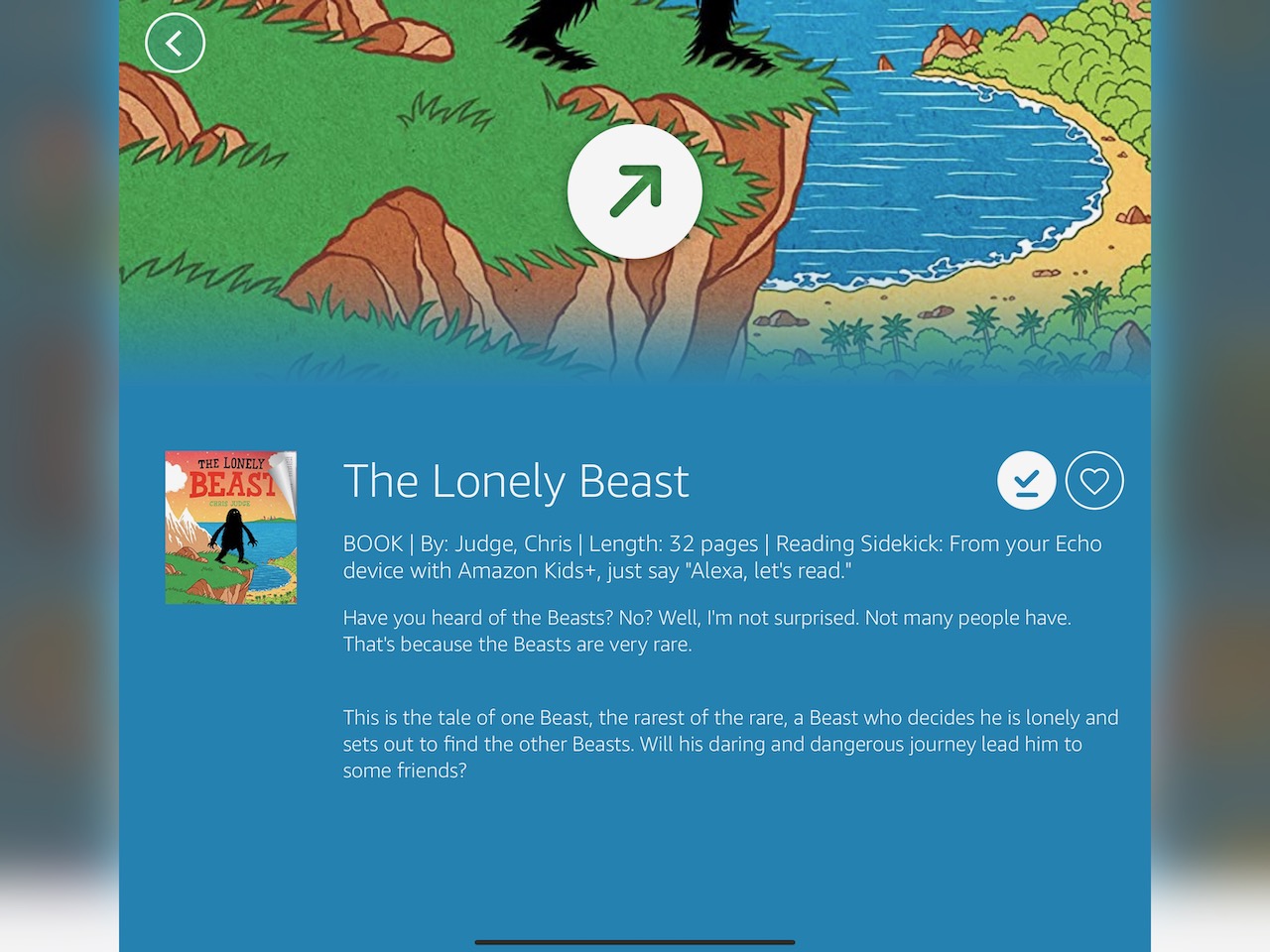
My goal for day 2 was to sketch solutions for the TinyTales discovery experience. Before beginning those sketches, I took 30 minutes to review the internet and iOS App Store to get some inspiration for good content discovery experiences.
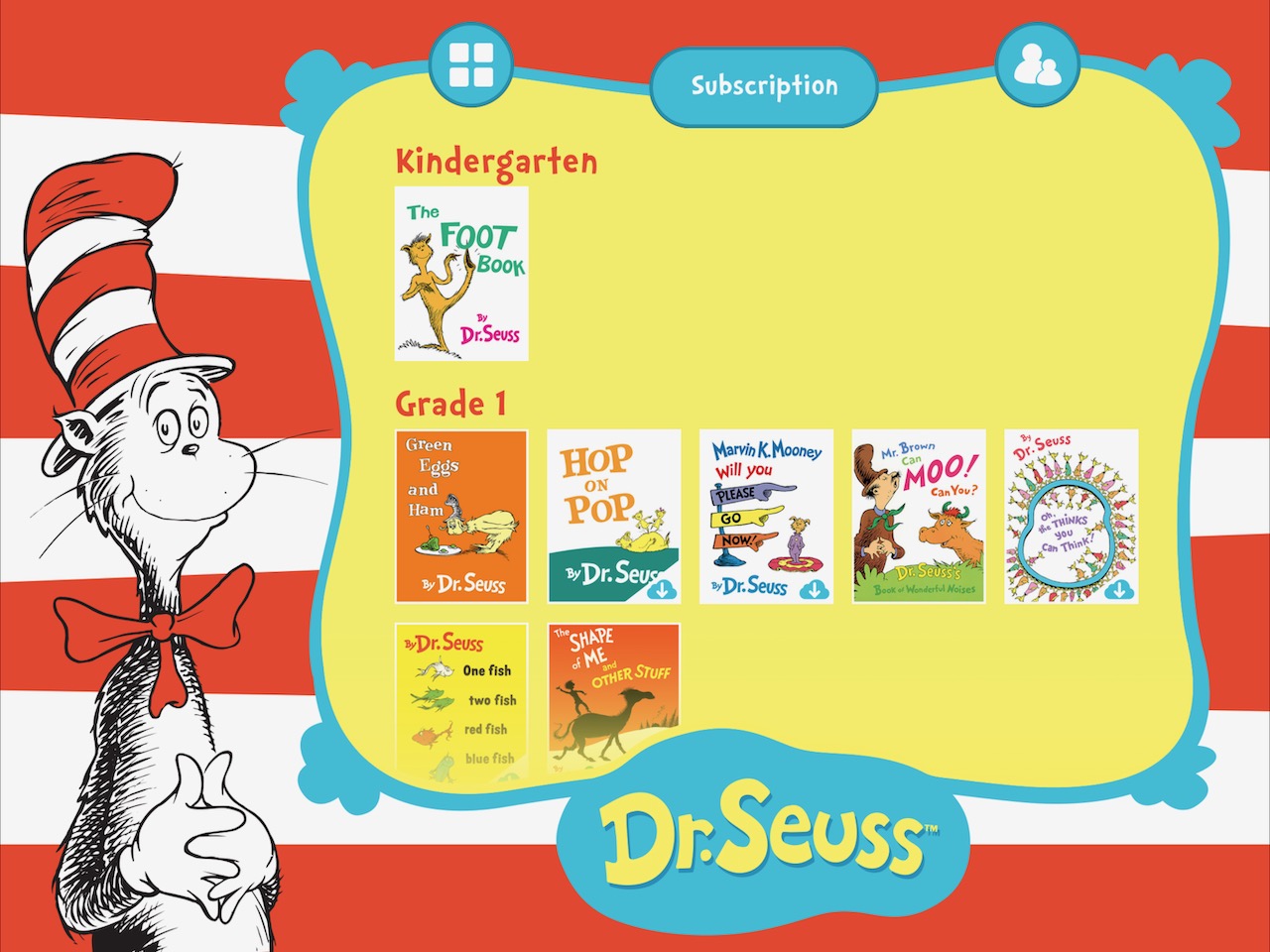
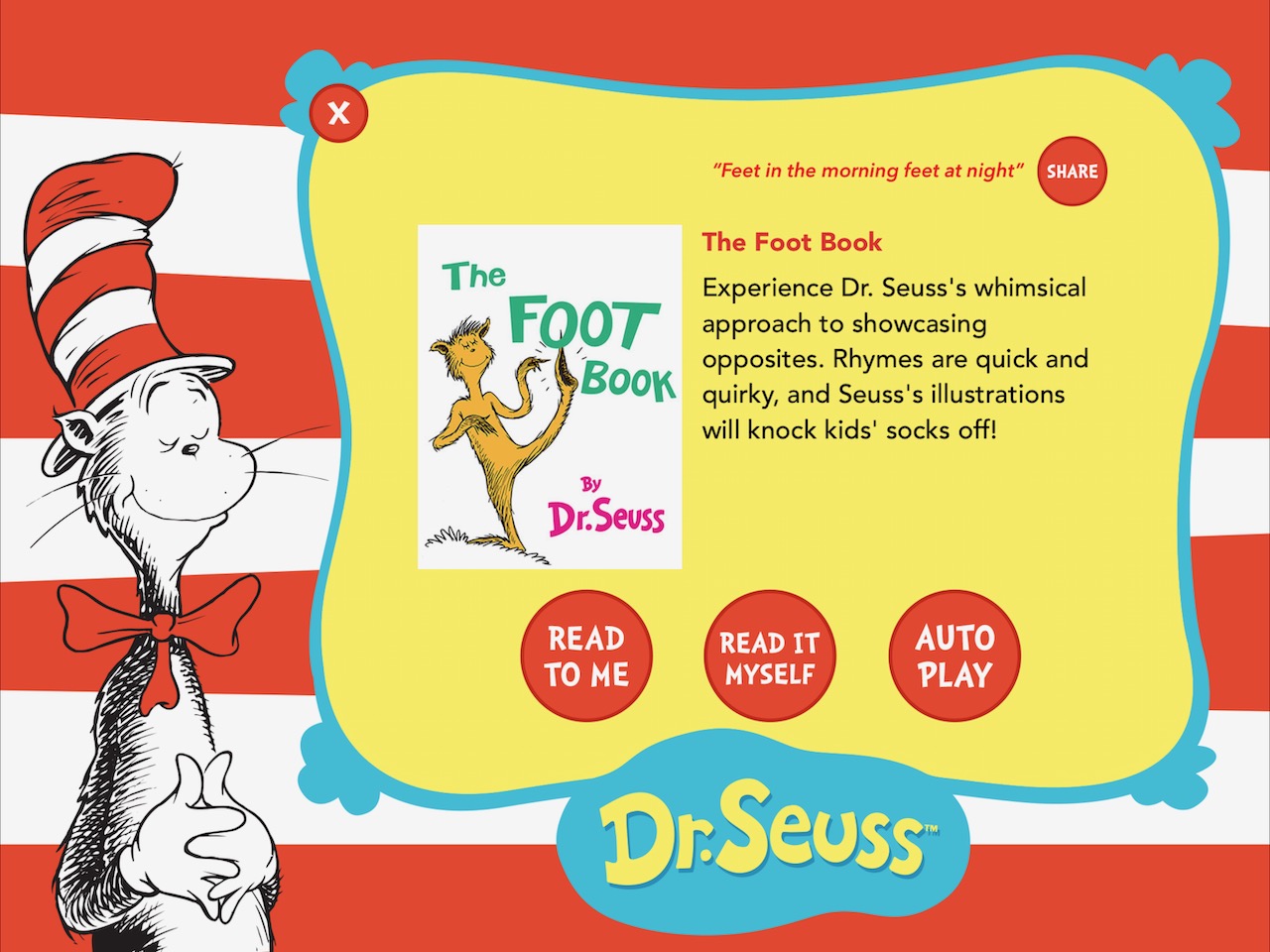
I learned that there's no truly "identical" discovery experience across reading apps. I liked how the Dr. Seuss app displayed story information, how the Kindle store displayed reviews and actions to add things to library, and how Amazon Kids+ displayed the book length.
Crazy 8s Sketches
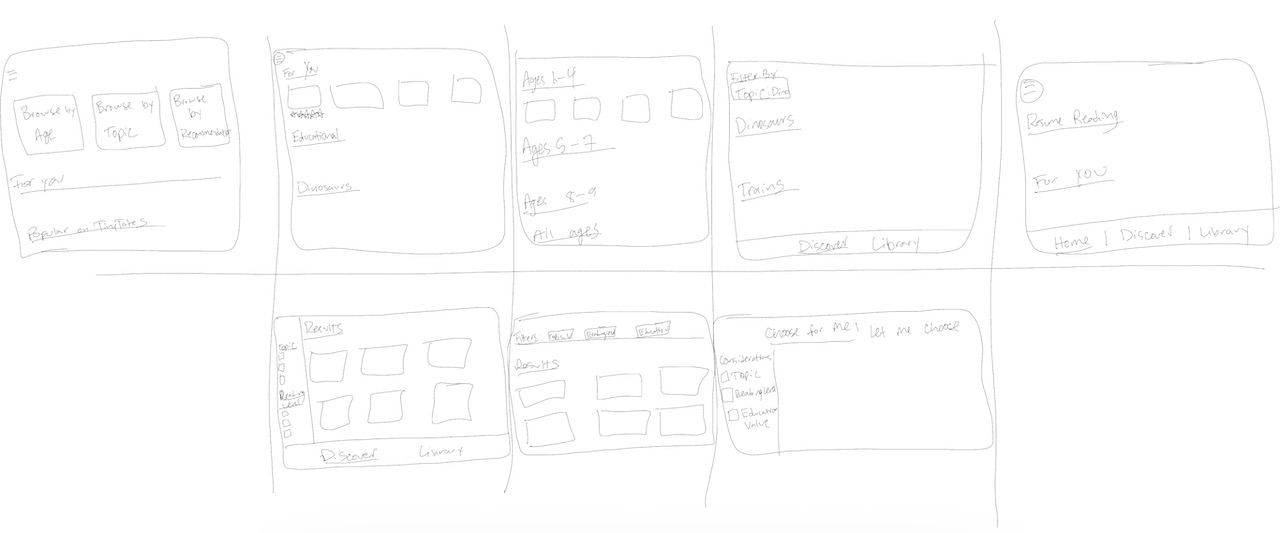
Ready to start sketching, I decided to focus on the initial part of the flow I sketched out earlier: browsing content. In the browsing phase the parent would be searching alone or with their child, so I saw this as the critical juncture to get right to achieve our goal for this sprint.
Based on my persona Claire, I knew that my designs needed to accomplish the following:
- Be quick
- Allow for customization (browsing by topic, age group, etc)
- Provide stories that were entertaining but also educational
With this in mind, I focused on incorporating the discover flows I'd seen in my app inspirations and also in other solutions I'd personally experienced. I set my timer for 20 minutes and tried to get a minimum of 8 sketches out before the end of that time.
Solution Sketch
After my Crazy 8s exercise, I needed to choose a solution that best helped with accomplish the users' goals:
- Spending less time finding a story
- Finding stories that both of her children will understand and enjoy
- Being able to find stories about certain topics of interest
- Finding stories that are both entertaining and educational
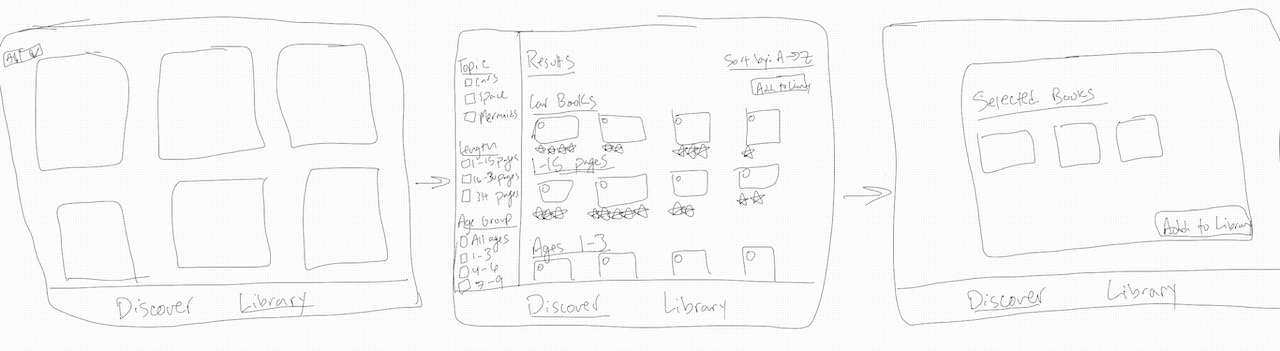
I felt like the sketch that best accomplsihed these goals was sketch #5, which is where I focused a more in depth solution sketch of the user navigating from their library to find a new story to read with their children.
Day 3 - Decide
Going into day 3 I had the option to sketch other possible designs. I decided not to sketch other solutions mostly because I felt they were informed enough from my research that they would be similar to most other content discovery experiences.
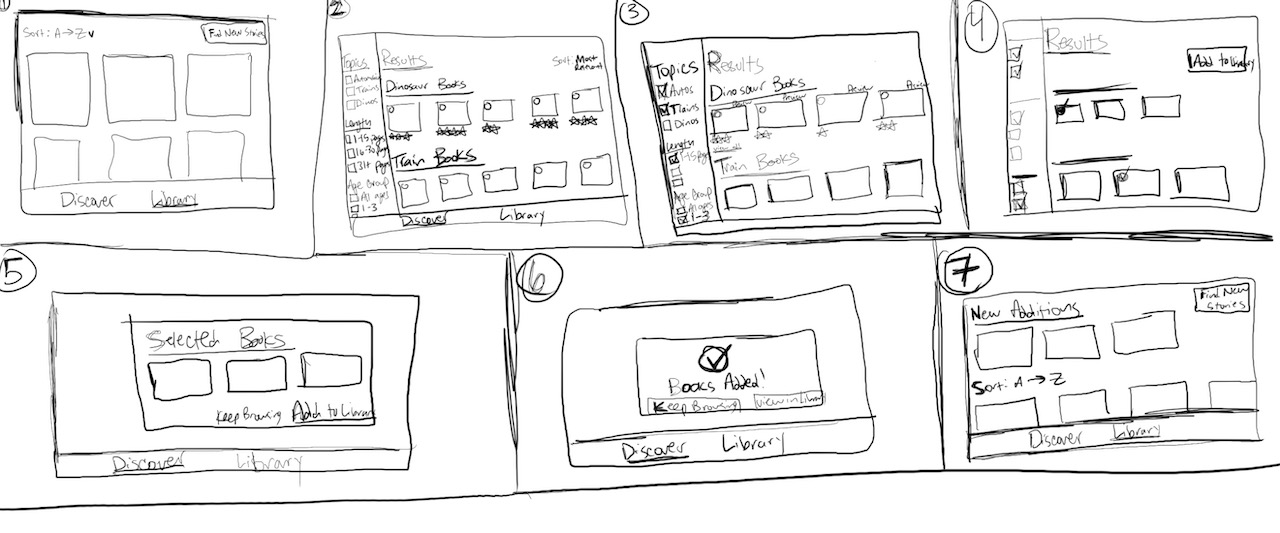
Solution Storyboard
Since my goal is to make it easier for parents to find a story, I started my storyboard with the following assumptions:
- Users would start their experience in their library, where their children would ask for something new.
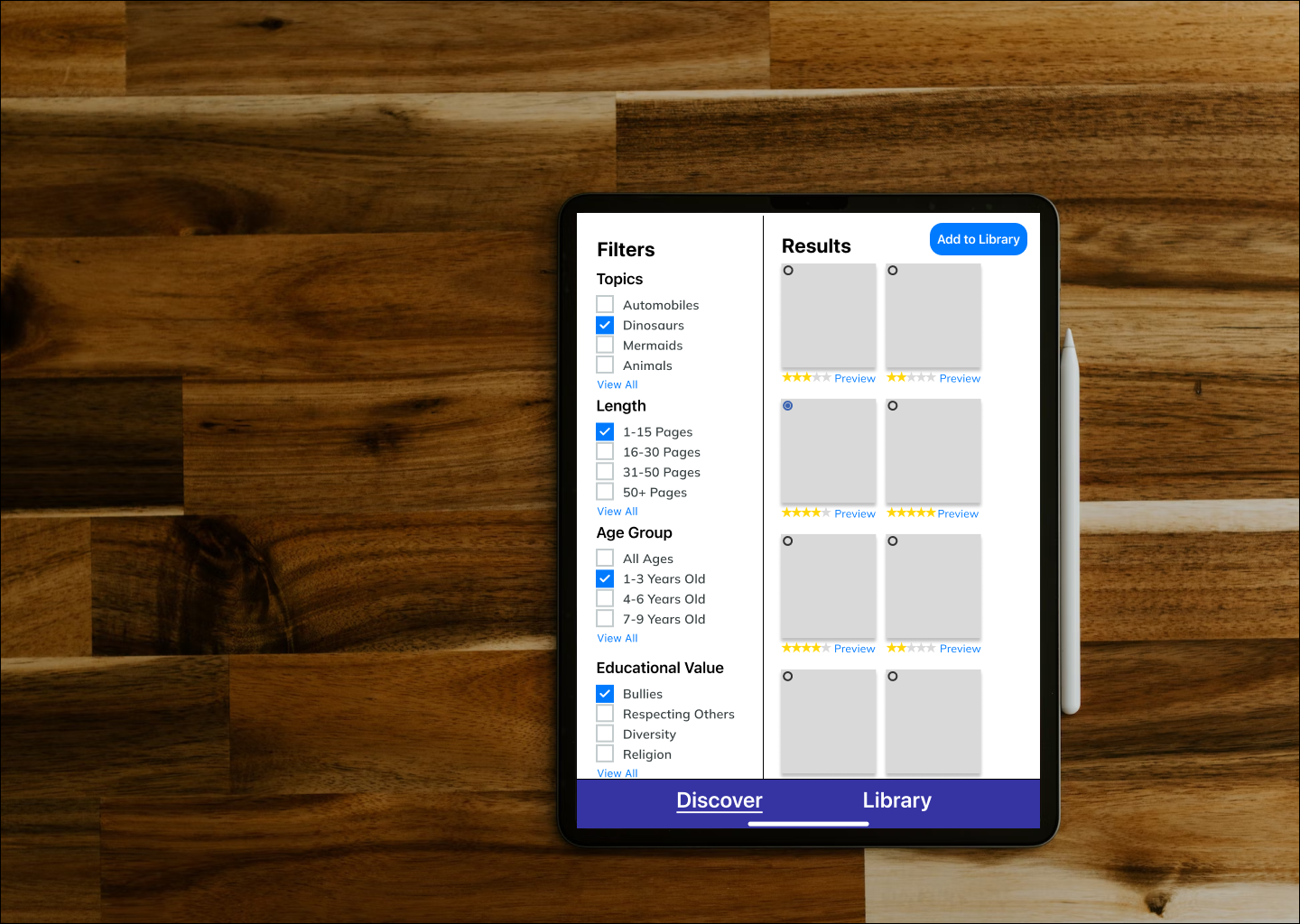
- Having some kind of filter functionality was critical to helping users accomplish their goal of finding stories their children would enjoy but that also had educational content, that explored specific topics, and that was age appropriate
From my user research, I incorporated the following assumptions into my design:
- A parent would want to select multiple books at the same time since that was a common use case referenced in our research
- Previewing was critical to parents
With all of this I created a solution storyboard with these functionalities incorporated.
Day 4 - Prototype
I created the prototype in Figma focusing on a tablet solution. Since time was a constraint of this sprint, I intentionally didn't add images for the books in the prototype.
My goals for testing the prototype were:
- Do users consider the discovery experience easy?
- Does the discovery experience meet users' mental models?
- Is the experience enjoyable?
Day 5 - Test
I conducted a small usability test with parents, grandparents, and aunts/uncles of kids. I created this script to help guide my discussion points and tasks. I failed to revisit my intended goals for the usability study, so I didn't collect any data on my goal of understanding if the discovery experience was enjoyable.
Possible Next Steps
If I were to continue with this project, I'd do the following:
- I'd add a search bar and the ability to filter based on reviews. Users referenced both of these during my usability test, and I'd look to retest to check that this meets users' expectations.
- I'd ask a question that would inform whether or not the experience was enjoyable. One of my original design goals was to find this out and I didn't incorporate it into the first round of tests.
- I'd look to built out a functioning Preview flow to see if it met users' expectations. Users varied in their expectations in my prototype, so I'd look to build a flow and collect feedback rather than just talk about it.
- Most users in my study were wary of using tehnology for reading with young kids, preferring physical books because of their level of interaction and levels of nostalgia. Ultimately they're looking to be careful exposing their kids to technology so young, so I'd look to explore possible solutions to this in TinyTales.
Learning & Limitations
What I Learned
Below are my thoughts on what I learned during this design sprint:
- The sprint methodolgy was very agile and swift. I felt unencumbered and focused while going through this
- Sketching really was a cognitive game changer. I felt like the team was able to come together and really make strides once we started this phase of the project.
- In the future, I'd want to make sure I was aligned with all stakeholders on their expected outcomes before conducting another sprint
Limitations
Every project has its limitations, and this one is no different. I've identified some of those limitations below:
- Team of one: since I was the only designer on this project, I wasn't able to have the experience of discovery and decision making based on multiple designs from other members of the sprint team.
- Design critique: I had no way to receive feedback on the designs I created during a formal design critique with my UX teammates
Projects
Privato FitnessDiscovery research, visual design, design systems, user flows, user stories, data synthesis, how might we questions, usability testing
Omadi Torch-Problem Sync & performance issues, painful usability, high task completion time -Solution Only sync information drivers need, all towing types in one list, geo-tagging, consistent workflow for all jobs, interactive photos & damage reporting, mobile payments, eliminate time consuming inventory. -Role My role was as Jr. UX designer on the project. As Jr. UX designer, I owned the workflow of conducting field research with current users of the Omadi mobile platform, as well as assisted with the redesign process (visual design, user journeys, user flows, etc).
Ballot BuddyProject type
TinyTales Design SprintSpringboard
Metaverse UX ResearchProject type
Ticket Admin ResearchProject type


© Copyright 2018 - All rights reserved